How to Run a Thorough On-Page SEO Audit That Actually Improves Rankings
I have been doing SEO long enough to remember when you could throw a few keywords into a page, write a decent title tag, and watch the traffic roll in. Those days are long gone. Search engines now evaluate pages through hundreds of signals, and the only way to know if yours are working for you or against you is to run a proper on-page seo audit. Not a quick checklist skim, but a real, methodical examination of every element that affects how a page ranks and how users experience it.
Over the years I have audited pages for ecommerce stores, SaaS companies, local service businesses, and content publishers. Each one had different strengths and blind spots, but the process I use stays fairly consistent. It is part technical inspection, part content analysis, and part user experience review. If you have never done a deep audit before, or if you have been relying on automated scores without digging into the details, the steps below will give you a framework you can adapt to any site.
Start with the Technical Foundation
Before I look at a single word of content, I check whether search engines can actually reach and understand the page. There is no point polishing meta descriptions if Google cannot crawl the page in the first place. I open Google Search Console and look at the coverage report for the section of the site I am auditing. If there are pages marked as "crawled - currently not indexed" or "excluded," I dig into why. Sometimes it is a noindex tag left over from a redesign. Other times it is a block in robots.txt that should not be there.
I also check the page's canonical tag. I have seen canonical tags pointing to a different URL, or worse, pointing to themselves in a loop that confuses the index. The canonical tag should be a clean, absolute URL that matches the page you want to rank. If you have parameter-based URLs or session IDs floating around, a solid canonical can keep your ranking signals consolidated.
From there I move to the sitemap.xml file. It should include the page I am auditing only if it is a primary or important page. If the page is a thin affiliate landing page or an old blog post you plan to delete, leave it out. I also verify that the page is not blocked by robots.txt unless there is a deliberate reason. These checks take five minutes, but they prevent months of wasted optimization work.
Title Tags and Meta Descriptions: Beyond the Basics
Every SEO knows a title tag matters, but I still see pages where the title is either missing, duplicated across dozens of pages, or stuffed with keywords until it reads like a ransom note. A good title tag is a sentence fragment that tells both the search engine and the reader what the page is about. It should include the primary keyword in a natural position, ideally near the beginning. I use tools like Ahrefs or Moz to compare my title against what competitors use for similar queries. If every competitor starts with "Best..." and I start with "How to Choose," I might be targeting a different intent.
The meta description is not a direct ranking factor, but it influences click-through rate, which feeds into user engagement signals. I write descriptions that summarize the page's value and include a call to action or a benefit. I avoid repeating the same description across multiple pages. If I run a site with hundreds of product pages, I use templates that pull unique attributes so each description feels custom. Google Search Console also shows click-through rates for individual pages, which can tell you if your meta description is underperforming.
Heading Structure and Content Hierarchy
Heading structure is one of the most overlooked elements in an on-page seo audit. I have audited pages where the H1 was a logo or a navigation link, and the actual page title was an H3 buried in the middle. That makes it harder for search engines to understand the page's main topic. Every page should have one clear H1 that matches the primary topic of the page. Subheadings (H2, H3) should create a logical outline that splits the content into digestible sections.
I check whether the headings contain relevant keywords without forcing them. If I am auditing a page about "on-page SEO checklist," the H2s might include "Technical Setup," "Content Optimization," and "User Experience Signals." Those are natural section breaks, not keyword lists. I also watch for heading gaps. If the page jumps from an H2 straight to an H4, something is off. The hierarchy should be sequential and consistent.
Content Quality and Keyword Cannibalization
Now I read the actual content. This is where the audit moves from technical to editorial. I ask myself: does this page fully answer the query? Does it provide unique value, or is it rehashing the same points as every other page on the web? Search engines are increasingly good at detecting thin content and rewarding depth. I use TF-IDF analysis and LSI keywords to see if the page covers related terms that competitors include. Tools like SEMrush and Ahrefs can show you which semantically related keywords your page is missing.

Keyword cannibalization is a frequent problem. I search the site for the primary keyword and see if multiple pages target the same phrase. If I find two blog posts both optimized for "on-page SEO audit," they are likely competing against each other. I either merge them into one stronger page or redirect the weaker one to the stronger one. This consolidates ranking signals and eliminates confusion for search engines.
I also check for internal linking. The page I am auditing should be linked from relevant pages within the site, and it should link out to other relevant resources. Internal linking distributes authority and helps users navigate. If I find a page that is a dead end with no internal links, I add contextual links to related guides or product pages. A well-planned internal linking structure supports the overall SEO health of the site.
Technical Performance and User Experience
Page speed is no longer optional. Core Web Vitals have made performance a direct ranking signal. I run the page through PageSpeed Insights and look at the metrics: Largest Contentful Paint, First Input Delay, and Cumulative Layout Shift. If the page scores poorly, I dig into what is slowing it down. Often it is unoptimized images, bloated JavaScript, or server response times. I also check mobile usability separately. Many sites look fine on desktop but have tiny fonts, overlapping elements, or slow loading on mobile.
I also verify that the page uses schema markup where appropriate. If it is a product page, I add Product schema. If it is a blog post, I use Article schema. If it is a local business page, LocalBusiness schema. Schema does not guarantee a rich snippet, but it increases the chances and helps search engines understand the content. I use Google's Rich Results Test to validate the markup.
Putting It All Together
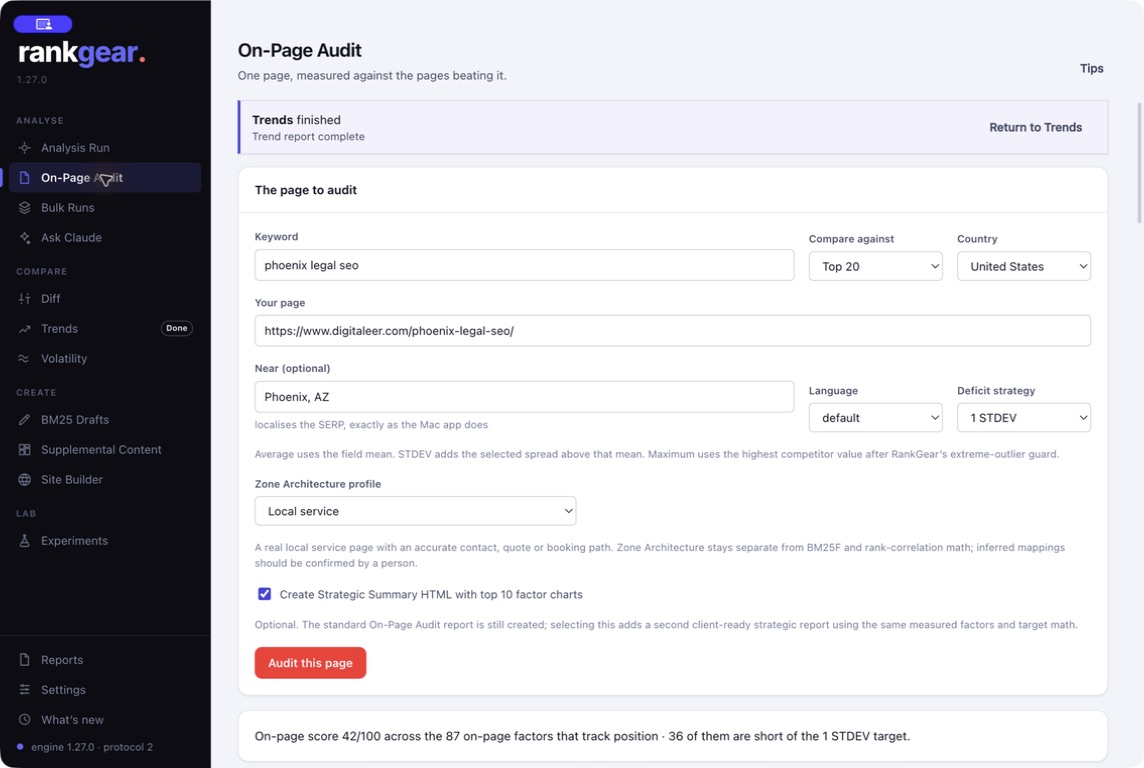
After I finish the audit, I compile a list of issues ranked by impact. A missing title tag is critical. A slow image that can be compressed is medium priority. A heading hierarchy that is slightly off is low priority but still worth fixing. I then create an action plan for each page, estimating the effort and the potential ranking improvement. This is where tools like RankGear can help by analyzing ranking factors for specific queries and providing evidence-based optimization suggestions, though I still rely on my own judgment for the final recommendations.
An on-page seo audit is not a one-time event. Search algorithms change, competitors update their pages, and your own content ages. I recommend running a mini-audit on your top pages every quarter and a full audit on the entire site at least once a year. The time you invest in understanding what is actually happening on your pages will pay off in more consistent rankings and better traffic quality.
One last thing: do not let the audit paralyze you. It is easy to find dozens of small issues and feel like you have to fix everything before you see results. Prioritize the changes that will have the biggest impact on the pages that drive the most value. Fix the canonical tags, optimize the title tags, improve internal linking, and speed up the page. Those four actions alone can transform a page's performance. Everything else is refinement.